Add this to your uBlock:
!death to #shorts
youtube.com##:matches-path(/)a#thumbnail[href*="/shorts"]:upward(7)
youtube.com##:matches-path(/)a#endpoint[title*="Shorts"]
youtube.com##h2>span:has-text(Shorts):upward(7)
Submitted 7 months ago by Buage_@piefed.social to [deleted]
https://media.piefed.social/posts/6b/Dy/6bDyM79MbO37y8M.png
Add this to your uBlock:
!death to #shorts youtube.com##:matches-path(/)a#thumbnail[href*="/shorts"]:upward(7) youtube.com##:matches-path(/)a#endpoint[title*="Shorts"] youtube.com##h2>span:has-text(Shorts):upward(7)
ty
thanks, when i press top-right X on shorts on YT, they just go away for a while… why not forever TY? why you have to keep insisting?
Because they want you to watch shorts. They know that people who watch shorts are the most brainrotted on the platform, and the ones who will keep scrolling and watching video after video, and seeing ad after ad, and those are the users YouTube wants all other users to be like.
And so they will push shorts in your face again and again no matter how much you say no, because they think eventually they’ll break you.
The close button is just a temporary placebo to make it feel like you’re the one in control.
You’re not the one in control.
What does this do? I’d like to know, specifically, before I add some random code from the Internet into my ad blocker.
Blocks shorts.
uBlock filters use a modified form of CSS selectors to determine what parts of a page to hide.
If you know vaguely how CSS selectors work you can infer that the filter definition is matching on youtube.com and is finding an element whose title property is shorts - so it seems to be doing an appropriate thing.
The important part is that uBlock filters are not executable; you can’t inject a malicious executable through one, as they are simply patterns which describe what parts of a page should be hidden, and hiding content is all they can do.
The worst that a filter could do is hide something that shouldn’t be hidden.
It removes short-videos from the main page and search results, as well as removing the link from the menu.
It removes shorts, just read it
This doesn’t do anything for me.
Do I add it in My filters?
Yes.
I wrote that myself, using Firefox on macOS, it might not work in other browsers (though it should generally work in firefox and chrome across platforms). It probably doesn’t work on mobile.
lmao
I have disabled history on youtube, so I only get shorts from people I’m subscribed to, and they are mostly very enjoyable. You can often get through all new shorts in about 30 mins before you start seeing repeats.
POV: (it’s not POV)
“Chat”
i only get dogs :3
There are more than a few shorts blocking extensions out there.
You could probably just add one line into uBlock’s filter list and be done with it. Might require updating after a while, but still less of a security risk than a random ass extension.
I’d add BeamNG with AI voiceover.
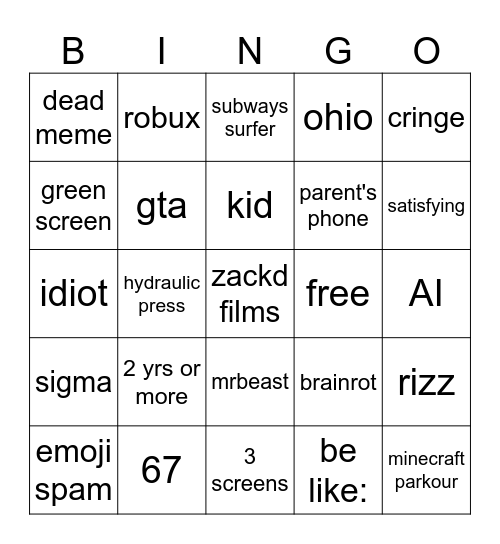
You can check off brainrott with any other of those categories.
Where’s the VTuber one?


bjoern_tantau@swg-empire.de 7 months ago
Aren’t your shorts made from stuff you watch? This should be a reflection of your own history, OP.
yermaw@sh.itjust.works 7 months ago
I think at some point it just decides youre getting brainrot.
My toddler is responsible for about 99% of my youtube shorts viewing. I ask for a topic, it shows me about 5 relevant videos in a row, and then skibidis the tungtung.
Never have I ever seen it show my toddler anything I’m even remotely interested in.
some_random_nick@lemmy.world 7 months ago
Indeed. If you ever scroll past the first 10-15 shorts that are based on stuff you watch, it becomes pure hell.
anomnom@sh.itjust.works 7 months ago
Yeah except ads are missing from this. I’ve been getting shitloads of the white haired guy that’s clearly not a doctor telling my to avoid canola oil or some shit.