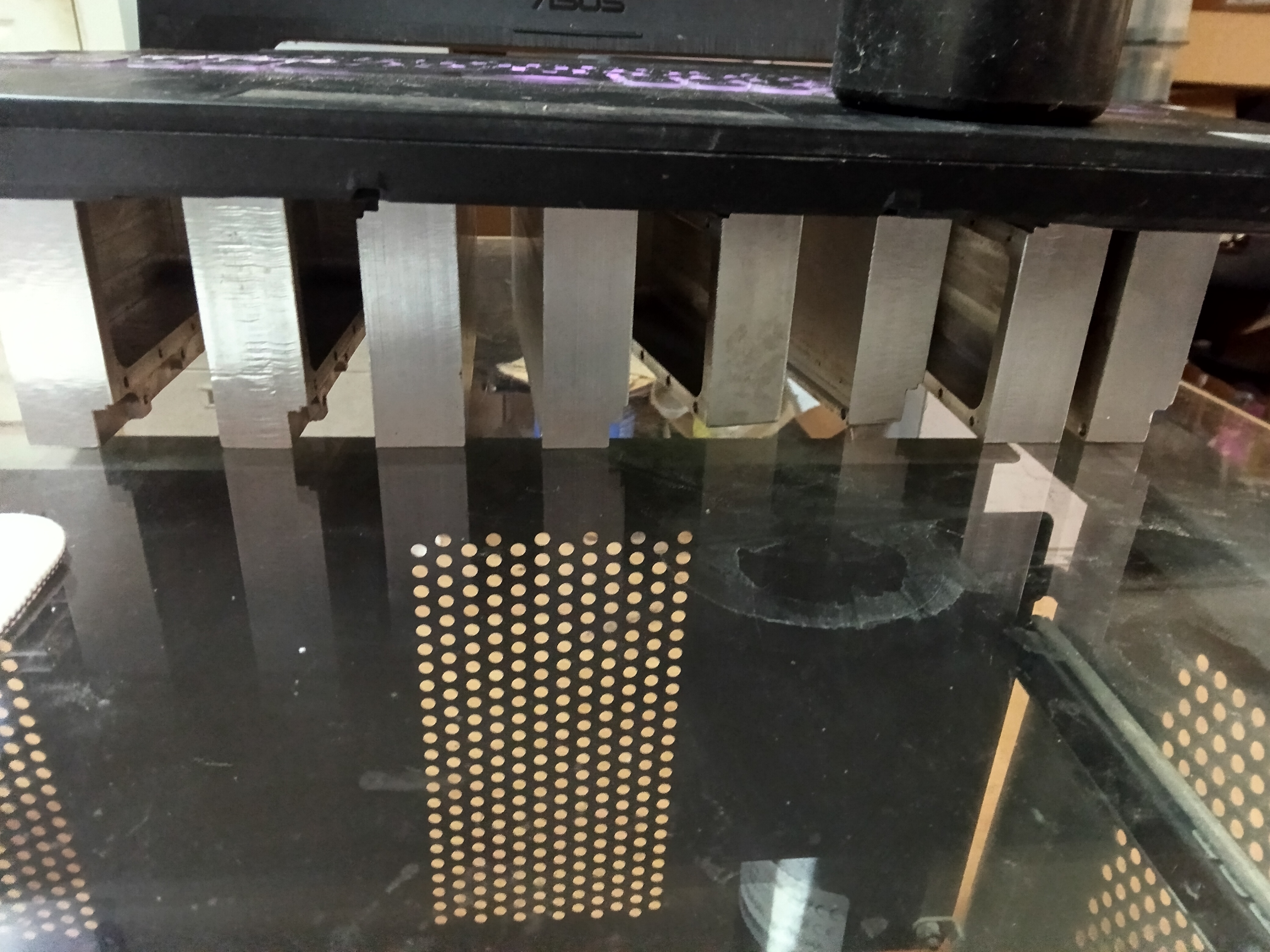
cross-posted from: lemmy.sdf.org/post/61981947
I lost.
After an hour it went from about 70 degrees to 95 and I had to shut it off. Womp womp :(
Submitted 12 hours ago by lyrial@lemmy.sdf.org to gaming@beehaw.org
https://files.catbox.moe/weyruf.jpg
cross-posted from: lemmy.sdf.org/post/61981947
I lost.
After an hour it went from about 70 degrees to 95 and I had to shut it off. Womp womp :(
Are those blocks even touching the parts getting hot or just on the bottom of the laptop?
They are only in the parts touching the bottom. I don’t even truly understand it myself, but physics says if you but a large heat sink under something like that, it forces cool air into it. Phlogiston or something, I’m not Greek or a physicist
It’s not sufficient to “just touch”. Correct computer hintsink installa involve smooth, clean, flat surfaces of copper/aluminum, thermal paste, etc.
Have you considered just replacing the fans?
Is there a problem running at 95 degrees? I’ve only had a problem when things reach closer to 120.
Yeah… That is about 20 degrees too hot. Everything is going to thermal throttle from there.
95ºC is uncomfortably hot, and it can reduce your CPU’s life a bit, but I’d say it’s an acceptable risk in some situations. Above 100ºC is when I get really unsettled, and wouldn’t want my hardware to do it for more than a few seconds. Going above 110ºC sounds like it will cause degradation really fast, you never want to get that high.
If you want your PC to have a long life, you should strive to never pass 85ºC or so.
Will CPU lifespan or stability be affected under high temperature?
Intel
As long as the temperature is lower than the original standard (105 or 100 Celsius degrees) regulated by Intel, the CPU lifespan will not be affected. The CPU has its own protection system/mechanism. When the core temperature exceeds the set temperature, the power will be reduced to maintain a safe temperature.
AMD
AMD’s engineering team has repeatedly stated that, when PBO or PB is enabled, the processor’s boosting algorithm is designed to maximize performance within the limits of the cooling solution available. As long as the processor remains below its hardware-defined thermal threshold (Tjmax, typically around 100°C to 105°C depending on the processor model), it will continue to opportunistically pursue the highest possible performance. The processor incorporates highly sophisticated and stringent protection mechanisms, ensuring that temperature fluctuations within AMD’s official operating specifications have no adverse effect on processor longevity or system stability.
Pretty sure you’re wrong about that. Personally I’ve never had a CPU fail except the machine that ran it hotter than 110, but that was twenty years ago, and I regularly run my machines for years, and I see them throttle and stay under 100 degrees now.

TehPers@beehaw.org 5 hours ago
If you absolutely refuse to get new fans, you might want to consider creating simple heat pipes to connect to your CPU’s IHS (or if you’re using air cooling you could connect to the fins on your heat sink or something). Then, create your own giant fin array attached to those heat pipes to passively cool them. You’ll pretty much want to maximize surface area with your fins, so it’ll take forever to make unfortunately.
Or you could throw a desk fan next to the PC and see if that works I guess.